Home>Background Music>What MP3 Bitrate to Use and When It Actually Matters for Listening
Background Music
What MP3 Bitrate to Use and When It Actually Matters for Listening
Modified: 14 September 2026
Table of Contents
- What MP3 Bitrate to Use and When It Actually Matters for Listening
- What Bitrate Actually Does to Your Music
- What Each Bitrate Tier Actually Sounds Like
- Music That Exposes Compression Most Clearly
- Your Listening Setup Determines How Much Bitrate Matters
- How to Hear the Difference on Your Own Tracks
- File Size Trade-Offs Worth Factoring In
- The Bitrate That Matches the Way You Actually Hear Music
What MP3 Bitrate to Use and When It Actually Matters for Listening
You download a song, pop in your headphones, and hit play. Somewhere inside that file is a decision someone made about how much audio data to keep and how much to discard. That number, measured in kilobits per second, shapes what you actually hear. Sometimes the difference is obvious. Sometimes you genuinely cannot tell. The right bitrate is not a universal number. It depends almost entirely on how and where you listen.
Sound Quality at a Glance
- At 128 kbps, most listeners can detect compression artifacts in complex music, especially through quality headphones.
- 192 kbps is the practical sweet spot for everyday listening, balancing file size with audio quality most ears accept as clean.
- 320 kbps becomes worth the extra storage mainly in critical listening setups like hi-fi speakers or open-back headphones.
What Bitrate Actually Does to Your Music
MP3 is a lossy format. That word means the encoding process permanently removes some audio data from the original recording. The bitrate number tells you how much data per second is preserved. A higher number keeps more, discards less.
The way MP3 chooses what to remove is not random. It uses psychoacoustic models that reflect how human hearing actually works. Our ears struggle to detect quiet sounds that arrive just after a loud one. They lose sensitivity to certain frequencies when stronger sounds are playing nearby. The encoder uses these facts to cut data you theoretically cannot hear. The trouble is these models are imperfect, and the lower the bitrate, the more aggressively the encoder has to cut to hit the target.
What Each Bitrate Tier Actually Sounds Like
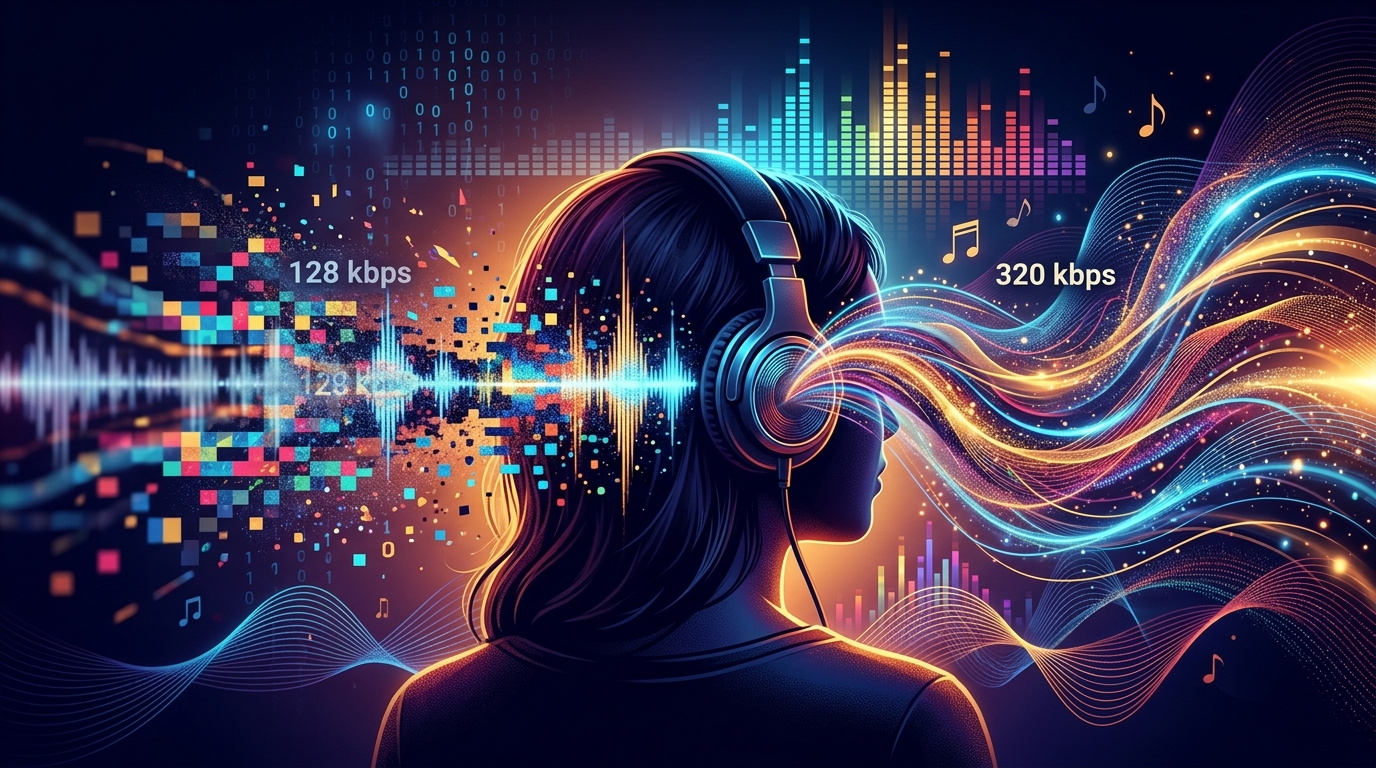
128 kbps was once considered adequate for digital music distribution. By current expectations, it shows its age quickly. On complex tracks with many simultaneous instruments, you will often notice a swirly or smeared quality in the upper frequencies. Cymbals lose edge definition. Reverb tails flatten unnaturally. Acoustic guitar can take on a faint metallic quality that was never in the original recording. These artifacts are measurable, and they are audible to anyone paying attention in a quiet environment.
192 kbps is a different story. The perceptual jump from 128 to 192 is noticeably larger than the jump from 192 to 320. Most of the obvious compression artifacts disappear at 192. High-frequency detail holds up far better. The stereo image, that sense of instruments occupying distinct positions in the recording, gets cleaner and more stable. For most listeners in most situations, 192 kbps is where a track stops sounding compressed and starts sounding like music.
320 kbps sits at the ceiling of what MP3 can offer. The difference between 192 and 320 is real, but it is subtle. You are talking about micro-detail in reverb trails, marginally sharper transient attack, a slightly fuller sense of space around instruments. Whether you can hear it depends heavily on your equipment and your level of focus. On average earbuds, the gap between 192 and 320 is essentially inaudible to most people in most conditions.
Music That Exposes Compression Most Clearly
Not all music suffers equally at lower bitrates. Some tracks are naturally forgiving. Others will make 128 kbps sound rough within seconds. If your library contains the following, you will notice bitrate quality more than the average listener:
- Orchestral and classical recordings with wide dynamic range and dense layering
- Acoustic recordings where the texture of strings, breath, and room ambience are prominent
- Small-group jazz where each instrument is isolated and clean in the mix
- Well-produced pop or rock with prominent cymbal work and crisp high-hat detail
- Electronic music with sustained high-frequency tones or quiet ambient layers beneath the main mix
Heavily compressed modern productions, like much of mainstream hip-hop or commercial EDM, tend to hide bitrate artifacts more effectively. When the dynamic range is already narrow and the mix is dense, there is less space for compression artifacts to surface.
Your Listening Setup Determines How Much Bitrate Matters
Late-Night Headphone Sessions
This is the scenario where bitrate earns its importance. You are alone, the room is quiet, the volume is moderate, and your full attention is on the music. Under these conditions, even a mid-range pair of headphones will let you hear the difference between 128 and 192 kbps clearly on most recordings. If you spend real time with music this way, staying at 192 kbps minimum and going to 320 kbps for favorite tracks is a decision you will actually hear pay off.
Hi-Fi Speaker Setups
Good speakers in a quiet room are unforgiving about what is in your audio files. If you have invested in a DAC, a proper amplifier, and quality speakers, feeding those components a 128 kbps file is like printing a photograph at low resolution and putting it in an expensive frame. The equipment faithfully reproduces whatever artifacts are present. At this level, 320 kbps is a sensible floor. Some listeners in this category skip MP3 entirely for lossless formats like FLAC, but if MP3 is your format, maximum bitrate is the right call.
Background Listening and Commutes
Put budget earbuds in your ears, board a bus with road noise in the background, and play music at moderate volume while you check your phone. In that environment, 128 kbps and 320 kbps are functionally identical. The acoustic environment around you has already masked the fine details that separate one from the other. For commute listening and background audio, managing high-bitrate files brings no real benefit. 128 or 192 kbps covers you completely.
How to Hear the Difference on Your Own Tracks
Reading about bitrate is useful. Actually hearing differences on music you already know is far more instructive. The most effective approach is to take a track from your own library, something you have listened to dozens of times, and compare it at multiple compression levels back to back.
Here is a straightforward sequence to try this yourself:
- Pick a track you know well, ideally something acoustic or orchestral with high dynamic range and distinct high-frequency content.
- Run the file through a browser-based bitrate changer to generate versions at 128, 192, and 320 kbps without downloading any software.
- Load all three versions into your player and label them clearly so you know which is which.
- Put on your best headphones, find a genuinely quiet moment, and play the same 15-second passage from each version consecutively.
- Focus your attention on the cymbals, the reverb on any vocals, and the upper register of piano or strings. That is where the compression damage shows up first.
Most people doing this test for the first time are surprised by two things. First, how immediately noticeable the gap between 128 and 192 kbps is. Second, how small and subtle the gap between 192 and 320 kbps turns out to be in practice. A single listening session with your own music builds more useful intuition than any written comparison.
File Size Trade-Offs Worth Factoring In
A rough estimate for context: a three-minute track at 128 kbps sits around 2.8 MB. The same track at 192 kbps is around 4.3 MB. At 320 kbps, it reaches about 7.2 MB. For a library of a few hundred albums, the difference is manageable on any modern device. For a library of tens of thousands of tracks stored locally, it starts to matter more.
For most people with a reasonably sized library, 192 kbps threads the needle well. You get the clear quality step up from 128 without the near-doubling of file size that 320 brings. If storage is genuinely not a concern for you, 320 kbps across your whole library is a perfectly defensible choice. You cover the listening situations where it matters, and you lose nothing.
The Bitrate That Matches the Way You Actually Hear Music
The right bitrate is not a technical achievement. It is a match between your listening habits, your gear, and the attention you bring to a session. Attentive listening through quality headphones or a hi-fi system rewards 192 or 320 kbps in ways you will genuinely notice. Background listening in noisy environments makes the whole conversation academic. 128 kbps does the job there without compromise.
The best thing you can do is run the comparison once on a track you care about. Not because the data will tell you something surprising, but because your own ears, on your own music, in your own listening environment, are the only reference that actually matters. Once you have heard the difference firsthand, the decision becomes obvious and personal rather than abstract.