Audio
Best Chromecast Audio
Modified: 26 October 2023
Table of Contents
- Why you need Chromecast audio alternatives
- How to set up your existing Chromecast Audio with the Google Home app
- WiiM Pro Plus: the best Chromecast Audio alternative with AirPlay 2
- BobWire DAT1 12V trigger add-on for automated power control
- Optical audio cable for connecting to older receivers
- RCA Y-adapter cable for speakers without AUX input
- Essential AUX cable for car and portable speaker setups
- Chromecast Audio buyer's guide: what to look for
- Frequently Asked Questions
If you're looking for the best Chromecast audio alternatives, the WiiM Pro Plus is the top replacement, offering high-resolution audio, multiroom streaming, and voice control.
Why you need Chromecast audio alternatives
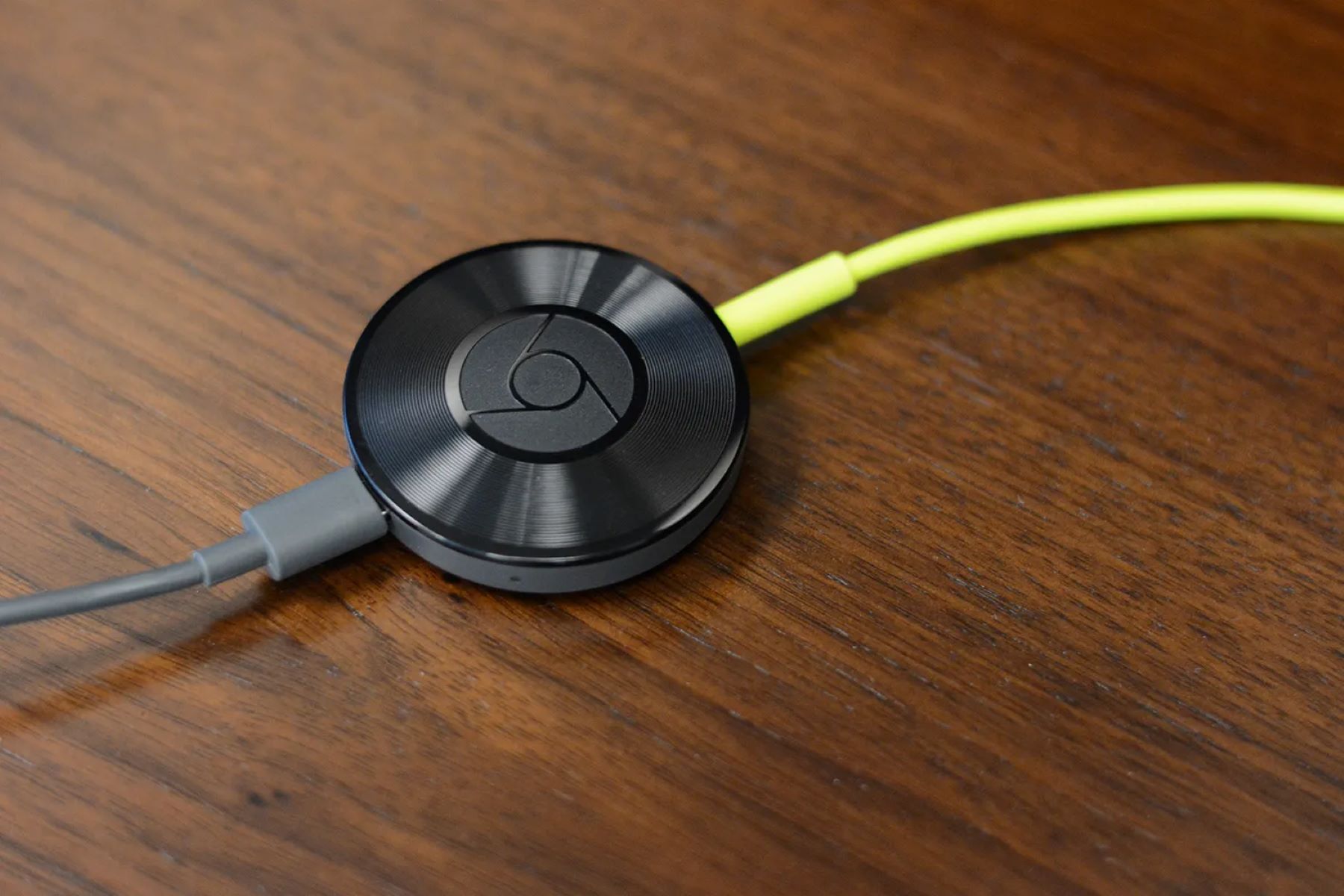
Chromecast Audio by Google has been discontinued. Google discontinued the Chromecast Audio, meaning new stock is limited and software updates have ceased. Existing owners can still use their devices, but for anyone buying new, a dedicated replacement is necessary. The WiiM Pro Plus stands out as the best alternative because it matches and exceeds the original's core features: it streams high-resolution audio, supports multiroom playback, and works with Alexa, Siri, and Google voice assistants.
How to set up your existing Chromecast Audio with the Google Home app
If you already own a Chromecast Audio, you can still set it up using the Google Home app. Follow these verified steps:
- Plug the Chromecast Audio into your speaker using the audio cable, connect the USB power cable to the device, and plug the other end into a power outlet with the included power supply.
- Download the Google Home app on your Android or iOS device.
- On iOS: turn on Bluetooth, then go to Settings > Privacy > Local Network and enable the Google Home app. iOS setup uses Bluetooth to improve the setup process. On Android: ensure Location Services is enabled so the Chromecast can locate your device.
- Chromecast Audio must be connected to Wi‑Fi and have internet access, and the mobile device must be on the same Wi‑Fi network to cast audio. Connect your mobile device to the same Wi‑Fi network the Chromecast Audio will use.
- Open the Google Home app. If prompted, allow it to find and connect to devices on your local network. For Android, tap Add Device at the top right, tap Add a different way at the bottom, enter the device’s brand in the search bar, select the device’s app, then either tap Link app if this is the first time or Check for devices if it is not, and select the device.
- Once connected, you can cast audio from any app on the same network.
WiiM Pro Plus: the best Chromecast Audio alternative with AirPlay 2
The WiiM Pro Plus is the strongest replacement for the discontinued Chromecast Audio. It streams high-resolution audio wirelessly, supports gapless playback, and enables seamless multiroom streaming by linking multiple WiiM devices. You can control it with voice commands via Alexa, Siri, or Google Assistant. For AirPlay 2 setup, your Apple device must run iOS 11.4 or later and be on the same Wi‑Fi network as the WiiM. On your Apple device, open Control Center, tap and hold the audio card in the top-right corner, tap the AirPlay icon, then select the WiiM Pro Plus device. WiiM Mini, WiiM Pro, WiiM Pro Plus, and WiiM Amp support AirPlay and work as AirPlay receivers, not transmitters.
BobWire DAT1 12V trigger add-on for automated power control
The BobWire DAT1 adds a 12V trigger to devices like Chromecast Audio or the WiiM Pro Plus. It includes a 192kHz 24-bit Cirrus Logic DAC to improve PCM audio quality and features two 12V outputs that automatically power amplifiers, fans, or other accessories on and off. This eliminates the need to manually switch equipment, making it ideal for automated audio setups. Note that it is not compatible with AV receivers.
Optical audio cable for connecting to older receivers
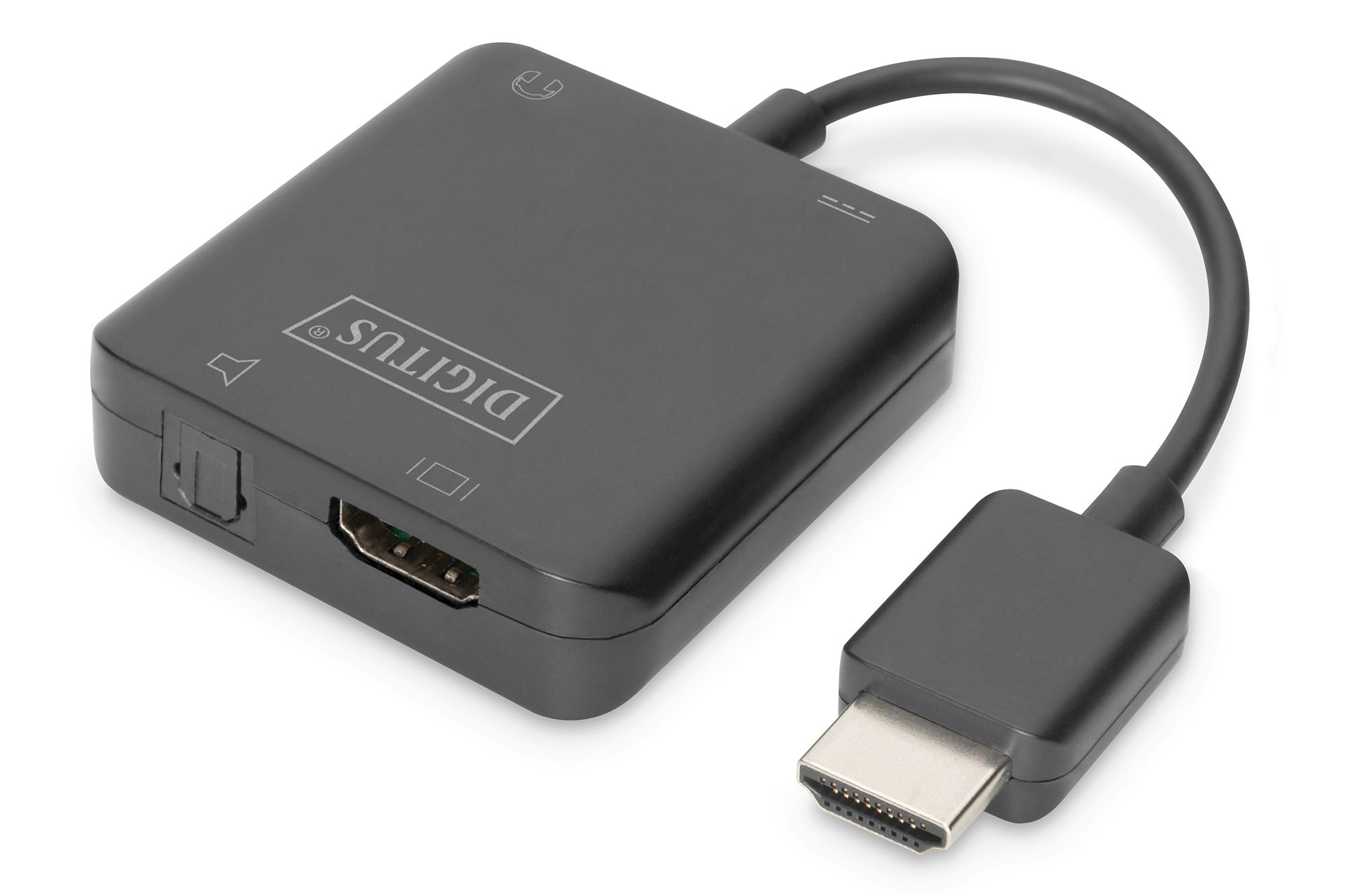
To connect Chromecast Audio to older receivers or sound systems, use a Toslink to Mini Toslink optical cable. This cable plugs into the Chromecast Audio's 3.5mm optical port and supports multi-channel surround sound, delivering clear digital audio to equipment that lacks modern inputs. It is not designed for standard headphone jacks.
RCA Y-adapter cable for speakers without AUX input
A 3.5mm to 2 RCA audio speaker Y-adapter cable lets you connect Chromecast Audio or a WiiM device to external speakers with RCA inputs. This cable is tested for reliable performance and meets safety certifications including FCC, CE, and RoSH, ensuring safe operation with your audio gear.
Essential AUX cable for car and portable speaker setups
A high-quality 6ft 3.5mm AUX cable is essential for connecting streaming devices to car stereos or portable speakers. Look for cables with overvoltage protection and safety certifications against short circuiting and overheating. This ensures a reliable connection and protects your devices during travel or daily use.
Chromecast Audio buyer's guide: what to look for
When choosing a replacement or accessory, consider these factors:
- Compatibility with existing speakers: Ensure your speakers have an AUX or RCA input. The WiiM Pro Plus works with most powered speakers and stereo systems.
- Wi‑Fi requirements: A stable Wi‑Fi network is essential for uninterrupted streaming. Both Chromecast Audio and WiiM devices require the same network as your mobile device.
- Streaming service subscriptions: Some services like Spotify or TIDAL require a paid subscription for full features. Check that your preferred service is supported.
- Multiroom audio: Group multiple Chromecast Audio or WiiM devices together in the Google Home or WiiM app to play the same music in different rooms.
- Guest mode: Enable guest mode on Chromecast Audio to let friends cast music without connecting to your Wi‑Fi network.
When selecting cables, pay attention to audio cable compatibility and adapter selection to ensure a proper fit with your devices and inputs.
Frequently Asked Questions
Can I still use Chromecast Audio?
Yes, existing Chromecast Audio devices still work, but they no longer receive software updates. You can set them up using the Google Home app on Android 9.0+ or iOS 17.0+.
Does the WiiM Pro Plus work with iPhone?
Yes, the WiiM Pro Plus supports AirPlay 2, which requires an Apple device running iOS 11.4 or later on the same Wi‑Fi network.
Can I group multiple speakers with the WiiM Pro Plus?
Yes, you can link multiple WiiM devices to create a whole-home audio system, playing the same music in different rooms simultaneously.
Do I need a subscription to use the WiiM Pro Plus?
No subscription is required for the device itself, but some streaming services like Spotify or TIDAL may require a paid plan for full access.
For the wider topic, see audio cable compatibility.