Earbuds
What Are Wireless Earbuds
Modified: 22 January 2024
Table of Contents
First things to know about using wireless earbuds
Before you pair and start listening, it helps to get oriented with what wireless earbuds actually are: compact, self-contained headphones that connect to your phone or tablet over a short-range radio link, eliminating the cable entirely. Understanding the purpose of earbuds goes beyond just playing music, as they are designed for private audio whether you are taking calls, joining a meeting, or streaming a podcast. The way earbuds work is by receiving a digital signal from your device and then using their own tiny built-in amplifiers and drivers to produce sound, which often means they carry a separate volume setting from your phone, and learning how earbuds work helps you troubleshoot audio issues on your own. Cranking up your handset’s output may not raise the loudness of the buds themselves if they have onboard controls. If you have ever wondered when were the first wireless earbuds made.
- were the first wireless earbuds made — When Were The First Wireless Earbuds Made
- wireless earbud costs — How Much Are Wireless Earbuds
- earbuds work — How Do Earbuds Work
How to wear and power on
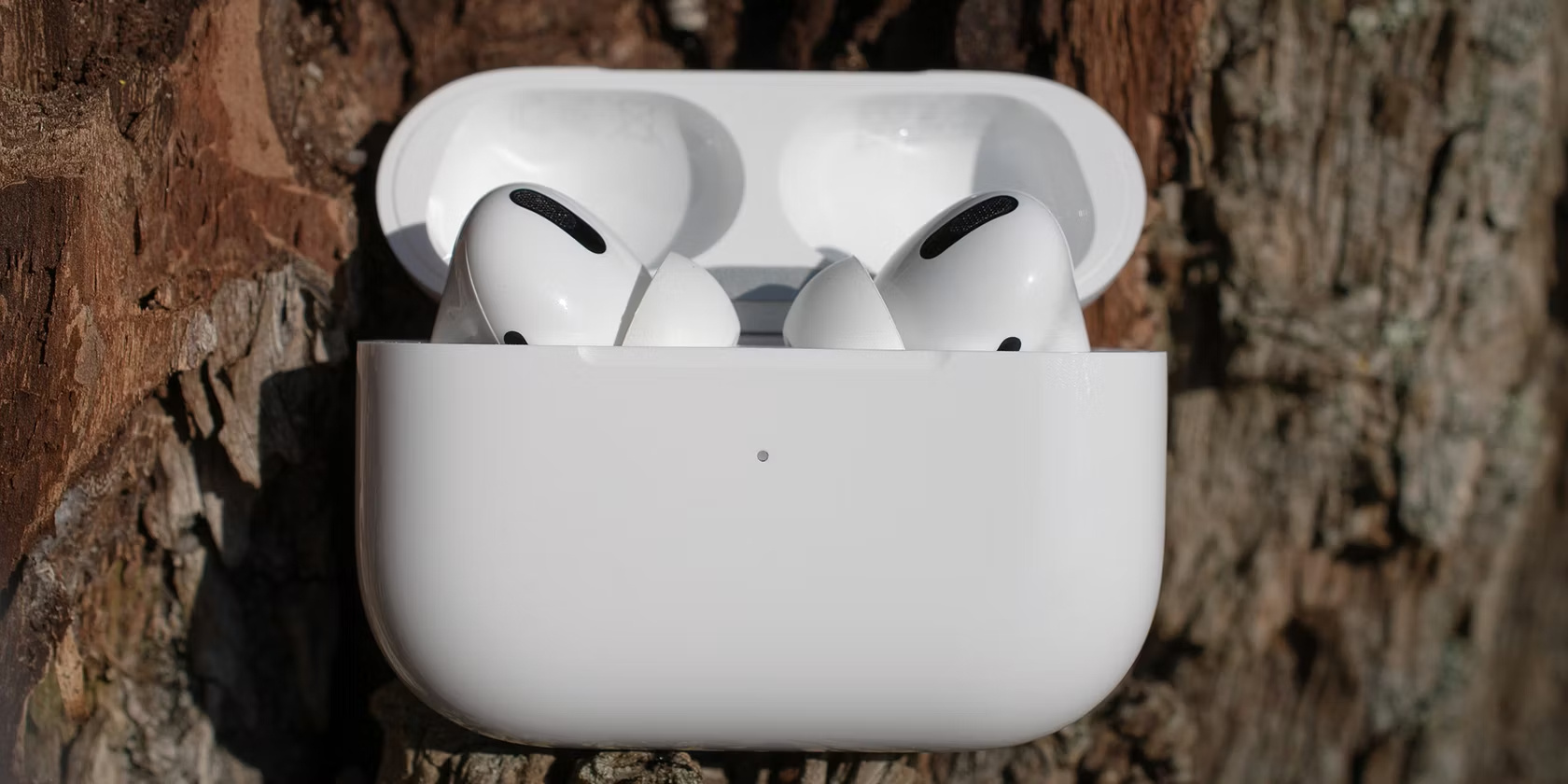
Getting the fit right is the first step, and it helps to know how to wear wireless earbuds properly. Most designs rely on a gentle twist-and-seat motion where you insert the tip into your ear canal and rotate the body slightly backward until the housing locks into the outer ear. The exact first-use steps vary by model. Your pair may power on automatically the moment you lift it from the charging case, a behavior seen with Lenovo True Wireless Earbuds and Skullcandy Push Play Active / Smokin Buds True Wireless after you remove the protective stickers from the charging points. Other brands take a different approach: to start Apple Powerbeats, for instance, you press and hold the power button on the left earbud for 1 second, while some designs require a longer press of 2 seconds, 3 seconds, or 3-5 seconds. Bose Sport Earbuds power on when you press the button on the front of the charging case and open the lid. Samsung notes that Galaxy Buds should be charged fully before first use and can be restarted by placing them back into the case slots and removing them after 7 seconds or longer. Since these buds carry their own onboard volume logic, turning them on is only the beginning, and you will want to check their independent level before assuming your phone is in control.
Pairing and connecting basics
Pairing wireless earbuds to a phone follows a familiar rhythm across most brands. Once you learn the flow, you can connect your true wireless stereo v4.1 earbuds with the same basic steps used for many other models, and you’ll find that most earbuds work with iPhone models without extra software, which is handy if you want to understand how earbuds work with iPhone. On an iPhone, the process starts by putting the buds into discovery mode. Open Settings > Bluetooth and tap the accessory name when it appears. Apple notes that the iPhone must be within about 33 feet (10 meters) of the accessory to pair successfully. Android users can swipe down to touch and hold the Bluetooth icon, tap Pair new device, and select the earbuds from the list. If pairing fails, you can also go to Settings > Connected devices > Bluetooth and tap Pair new device again. If you use TWS earbuds from Samsung with an iPhone, for example, you simply open the charging case with the buds inside and look under Other devices in the system menu, which is especially useful because those earbuds work with iPhone just as easily as they do on Android. Some generic models may ask for a code like 0000. For the True Wireless Stereo V4.1 Earbuds, the manual recommends staying within 3 feet during that first handshake.
Connecting specific brands
When you need to connect skullcandy dime wireless earbuds, the process starts before you even open your phone’s settings. Remove the stickers from the charging contacts. Charge them for about 30 minutes until the LEDs glow red. Then lift them from the case so they can power on and sync to each other. Once the left bud flashes red and blue and you hear “Pairing,” select Dime from your device’s Bluetooth list to finish. If you need to connect skullcandy earbuds to iPhone specifically, the path is the same as it is for Android. The official guidance simply has you turn on the wireless feature and tap the Dime entry when it appears. There are no separate menu steps for either platform. For Sony users, the routine to connect Sony earbuds wf-1000xm4 is equally direct. The headset powers on automatically. On an iPhone you touch WF-1000XM4 in the device list. Android owners can either do the same through their settings or rely on Google Fast Pair by bringing the buds close and tapping the popup. When you need to pair Motorola s305 Bluetooth stereo headset, the exact button sequence can vary. Here’s how to connect bass jaxx wireless earbuds and follow the biconic wireless earbuds how to connect procedure. The underlying handshake remains consistent across all these brands. Regardless of which pair you own, remember that their onboard volume controls may operate independently from your phone’s master level.
Pairing Tozo and Heyday models
When you need to pair Tozo T12 earbuds, the rhythm is straightforward. Lift both buds from the charging case and let them power on automatically. Wait about 10 seconds for them to link to each other. Then open your phone’s Bluetooth settings and select TOZO-T12 once the lights flash red and blue alternately. The sequence for how to pair Tozo T10 earbuds follows the same pattern, but look for TOZO-T10 in your device list. The T10 does not support multi-device pairing, so it will not appear if it is already connected to something else.
A broader search for how to pair my Tozo earbuds will usually surface a model-specific name in the device list rather than a single universal trigger. Identifying the label that matches your case is the key to a fast connection. The initial handshake relies on the buds broadcasting their identity for about two minutes after leaving the case. If that window closes, a quick drop back into the case resets the timer.
For Heyday owners, the steps to pair Heyday wireless earbuds begin by removing both buds from the case. On a first-time connection they flash red and white and appear as HEYDAY EARBUD 05 or HEYDAY EARBUD 06 depending on your version. The buds enter discovery mode automatically the moment they power up. If the buds become uncooperative, one support resource suggests holding each for 10 seconds until the LED turns off, then pressing again for 15 seconds until it flashes pink before returning them to the case to reset the sync.
Once connected, remember that both Tozo and Heyday earbuds carry their own onboard volume logic. Raising your phone’s level may not change what you hear until you adjust the buds themselves. This independent volume curve is a common source of confusion. A quick tap sequence on the stem or outer shell usually brings the output in line with your expectations.
The same core wireless handshake applies across several near-identical guides, including how to pair my Raycon earbuds and how to pair my Indy Evo earbuds. The choice among them simply depends on which model name is printed on your charging case.
Pairing Raycon and Skullcandy Indy
When you need to pair skullcandy wireless earbuds indy, the sequence differs from simpler routines for other models. The right and left buds must be reset individually before they will sync to each other. Put both earbuds in the charging case, forget Indy Wireless from your device’s paired devices list, and turn Bluetooth off on the device. Take out only the right earbud and tap its center four times until the light turns red, then return it to the case and repeat that four-tap reset on the left earbud. Removing both buds together afterwards lets them pair to one another and announce “Pairing” mode, at which point you turn Bluetooth back on and select Indy Wireless from the list.
For the Indy ANC and Indy ANC Fuel models, the reset tango is not required. Once the buds are in pairing mode, iPhone users look for “Indy ANC” or “Indy ANC Fuel” in the connected devices list, while Android owners tap “+ Pair New Device” and choose the matching name before accepting the prompt.
Adjusting the volume
When you raise the media volume on your phone but the audio still sounds faint, the earbuds likely have their own independent level that needs a separate push, and a dedicated walkthrough shows how to turn up raycon earbuds with the exact touch gestures for your model. On Raycon Everyday Earbuds Pro and Raycon Fitness Earbuds, a single tap on the right earbud raises the output even when your phone’s slider is already maxed out. For TOZO models the action shifts to a long press: on the TOZO A2 and TOZO OpenReal you can long press either earbud while music is playing, while the TOZO T20 dedicates a long press on the right earbud to volume up and the left to volume down, and you can also learn how to turn up the volume on tozo earbuds across models like the A2, OpenReal, and T20. Keep in mind that volume adjustment is not available when the buds are connected to a TV or computer, so you will need to control the level from the source device itself in those setups. Skullcandy splits the method across its lineup: the PUSH ANC ACTIVE uses a single press of the convex dot on either earbud, the Ecobuds require a one-second press on the right touch sensor, and the SMOKIN BUDS TRUE WIRELESS rely on a triple tap on either side. Learn how to turn on skullcandy wireless earbuds and pair them before you can use those volume controls, and how to turn on my earbuds regardless of the brand, covering the basic long-press and case-lid triggers that wake up most true wireless models. Because the exact gesture is tied to your specific model, the choice simply comes down to which name is printed on your charging case or manual, so pick the one that matches your set to get the correct button pattern and learn how to turn up volume on wireless earbuds.