
Home>Production & Technology>Playing and Managing MIDI Files
Production & Technology
Playing and Managing MIDI Files
Modified: 3 October 2026
Table of Contents
What a MIDI file actually is and how playback works
To achieve successful MIDI file playback, you need to understand the format of a MIDI file before dropping a .mid into a player and expecting it to sound exactly like the original recording. A Standard MIDI File contains no audio at all, only a dense set of performance instructions including note pitches, velocities, tempo changes, time signatures, track names, and even System Exclusive data for specific hardware. The actual sound you hear is generated entirely by a synthesizer or sound engine on your device, which is why the same file can sound like a full orchestra on one machine and a toy piano on another.
When you browse MIDI pack contents, you are collecting raw compositions and patterns that your application can manipulate note by note, letting you swap instruments or change the key without degrading any audio. To make real use of that flexibility, you will want a good MIDI program that can route those instructions to a quality sound source, whether that is the operating system’s built-in General MIDI synth, a virtual instrument inside a DAW, or an external keyboard connected over USB.
Finding and downloading MIDI files
Finding a MIDI file is not like searching for an MP3. What you are really hunting is a set of performance instructions stripped of its original sounds. If you want to recreate a specific track yourself, you can often get the MIDI of a song through services that separate a recording into its component parts. Song to Stems lets you upload an audio file that is less than eight minutes long. Song to Stems processes the track into a zip containing five files, including separate melody and harmony MIDI parts. That approach gives you raw note data to feed into your own synthesizer. The result depends entirely on the clarity of the original recording.
For pieces where the composer has shared their work directly, you might look for piano MIDI transcriptions on community sheet music platforms. Users there post their own transcriptions as standard MIDI files ready to open in any sequencer. When you find a project on a collaborative music-making site, you can sometimes export a song you have built or one shared publicly as a MIDI file. This hands you the bare sequence without any baked-in audio.
More broadly, when you download a MIDI file from any online library, you are grabbing a tiny packet of numbers. Those numbers will sound wildly different depending on whether your machine routes them through a basic wavetable synth or a multi-gigabyte sampled piano. Because the file itself holds no sound, always check which playback device your application is targeting. If you prefer to capture a community-made arrangement rather than a commercial transcription, you can download MIDI from online sequencer to access user-generated versions that may include creative reinterpretations. Do this before assuming the download is silent or broken.
- the piano MIDI for 'How to Save a Life' — How To Save A Life: Piano MIDI
Basic playback on your device
To simply play MIDI files on your machine without installing a full digital audio workstation, you can lean on the built-in capabilities of your operating system, which is exactly why the article on how to play MIDI files is essential reading for getting started. The process to play MIDI file on Windows is straightforward: double-clicking the .mid file typically launches the Microsoft GS Wavetable Synth, which renders the instructions through a basic General MIDI sound set that is functional but lacks the realism of a dedicated virtual instrument, so you will want to read the article on how to play MIDI file on Windows to learn how to improve that sound.
Getting play a MIDI file on mac to work depends on having an active sound source assigned through CoreMIDI, as the system needs a software synthesizer available to generate audio from the note data; that is why the article on how to play a MIDI file on mac is invaluable for troubleshooting your setup. You can also play MIDI in audacity by importing the instructions as a Note Track using the File > Import > MIDI command, which lets you see the performance data and press Play in the Transport Toolbar to hear it, and the article on how to play MIDI in audacity will show you exactly how to configure your audio output for reliable playback. On Mac and Linux you must install and run an additional software synthesizer before opening Audacity, otherwise the Note Track will remain silent. Once playback is working, you can use Space to toggle play and stop, or click Play while the track is already running to restart from the beginning without hitting Stop first.
- play MIDI file on Windows — How To Play MIDI File On Windows
- play a MIDI file on mac — How To Play A MIDI File On Mac
- play MIDI in audacity — How To Play MIDI In Audacity
- play MIDI files — How To Play MIDI Files
Connecting controllers and interfaces
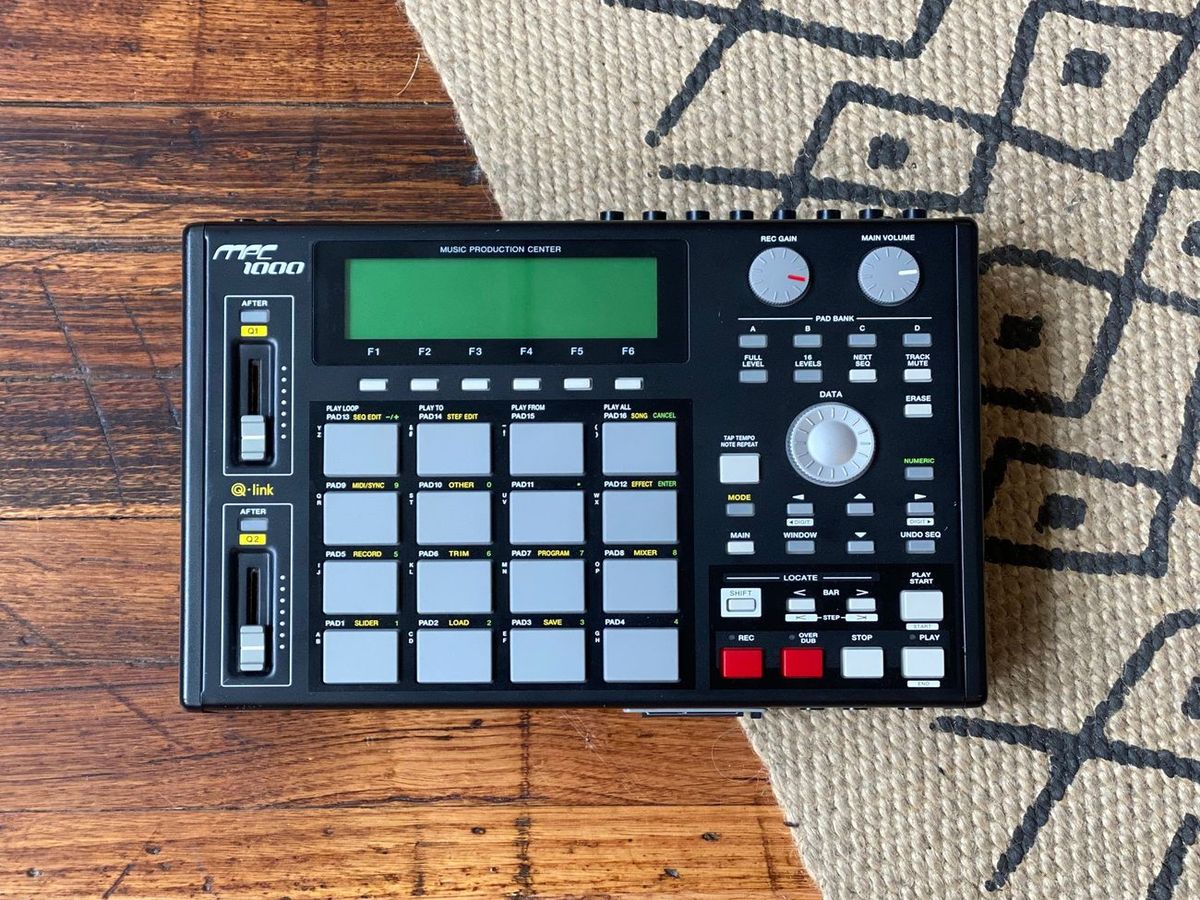
The physical connection that gets your gear talking to your desktop machine or MPC is straightforward, but the routing is where people lose track of the signal. When you connect MIDI to MPC hardware using a standard 5-Pin MIDI DIN cable, the rule is always output to input. The controller's MIDI OUT plugs into the MPC's MIDI IN. After that you will need to visit Menu > Preferences > MIDI / Sync on the MPC itself to assign the incoming port to its proper role as a Global, Control, or Track source. If your controller only has a USB port, you can attach USB MIDI to 5-pin MIDI interface hardware to bridge the gap. That unit converts the computer-friendly connection into the DIN jack your standalone gear expects. For USB-native setups, plugging the controller directly into your workstation and opening the MPC application lets you confirm it appears under Preferences > MIDI as an Active MIDI Input. A more elaborate studio might centre on a multi-port hub like the MOTU MIDI timepiece, which synchronises numerous devices and routings from a single rack unit. On a mobile device, things shift. An Android phone can switch its USB port into peripheral mode by pulling down the notification shade, tapping USB for, and selecting MIDI. The audio MIDI setup on iPhone does not live on the phone itself at all. That utility is a Mac desktop program for managing external instruments and Bluetooth MIDI peripherals on your machine.
Setting up software and drivers
Before a single note will sound, your setup needs a clear path to a sound source. On Windows, the system relies on MIDI drivers in Windows 10. The plumbing is mostly invisible. Windows MIDI Services requires MIDI set to wdmaud.drv and midi1 set to wdmaud2.drv. Working entirely in a browser-based tool requires an extra step. You must first enable web MIDI API access by calling `navigator.requestMIDIAccess()` in a secure context. The page must be loaded over HTTPS to qualify as a secure context. Inside a sampler, you take direct ownership of the routing. You control MIDI input in Kontakt Player by opening the Options MIDI tab. Locate your hardware port in the inputs list. Click an Off status to assign it one of the four port identifiers A through D. When preparing a session to exchange with other studios, confirm your project uses standard ProTools MIDI format. If you are composing in Noteflight and want to bring your ideas in from an external keyboard, you will need to know how to input MIDI in Noteflight to streamline your workflow. Similarly, when collaborating with colleagues who use Sibelius, understanding how to route MIDI in Sibelius ensures your playback data reaches the correct virtual instrument channels without confusion.
Exporting and managing MIDI data
After you have arranged a performance, getting it out of the editor is the next logical step. Exporting MIDI files means you can hand off a clean set of instructions to another application or a collaborator’s digital audio workstation. If you are working in Aria Maestosa, the older manual points you to File ▷ Esporta in MIDI…. and notes the exported file must be a Type 1 file. That format keeps each instrument on its own track instead of merging everything into a single stream. The separation matters when you open the file elsewhere. A mixing engineer or notation program expects to see independent lanes for drums, bass, and melody. Where aria maestosa store its MIDI patch file is not known. The application’s patch browser does not expose a user-facing folder path. Once your data is safely exported, the creative side can take over again. You make music with MIDI piano using the editor’s score, keyboard, or guitar views. These tools turn your typed or clicked notes into performable sequences. Any connected hardware or software synth can then realise the result.
Troubleshooting common problems
Before you change any settings, confirm that your machine sees the controller. On Windows, look in Device Manager under Sound, Video and Game Controllers; on macOS, open Audio MIDI Setup’s Midi Studio window. Specific controllers have their own quirks.
In some editors the trouble starts before playback, and LMMS crashing when importing MIDI can sometimes be tamed by ensuring your operating system and audio drivers are fully up to date before you drag the file in, which is exactly what the article on LMMS crashing when importing MIDI recommends.
- Launchkey MIDI connection problems — Why Is My Launchkey MIDI Controller Not Connecting
- arturia minilab MIDI issues — Why Is Arturia Minilab MIDI Not Working
- MIDI keyboard malfunctions — Why Is My MIDI Keyboard Not Working











