
Home>Production & Technology>3.5mm Audio Cable Wiring and Selection
Production & Technology
3.5mm Audio Cable Wiring and Selection
Modified: 3 October 2026
Table of Contents
What a 3.5mm audio cable is
Before you plug anything in, take a close look at the metal shaft of the 3.5mm audio cable. What you are holding is most often called a 3.5 mm audio cable, a name that simply refers to the diameter of the connector. In a car or on a home stereo, you will likely hear this same cord called an auxiliary audio cable, and it typically has a male stereo jack at both ends to link a phone or computer to a speaker system.
Manufacturers sometimes refer to these cords collectively as a mini audio cable to distinguish this compact connector family from the larger quarter-inch plugs found on professional gear. If you measure the size of a stereo mini plug, the shaft is always 3.5 millimeters wide, and the layout of the tip, ring, and sleeve contacts tells you whether it carries a mono signal, stereo sound, or stereo sound with a microphone.
Knowing the different types of audio cable ends called by their connector configuration and gender helps you avoid a common mismatch. A three-pole TRS plug fits a standard stereo jack perfectly, but inserting a four-pole TRRS plug into a TRS-only port can push the microphone contact against the left audio channel, creating the thin, distant playback that makes vocals disappear from a song.
For an iPhone without a headphone jack, one method is to attach a finished Lightning-to-3.5 mm cable such as a Belkin model. This adapter contains a small digital-to-analog converter sealed inside the cable’s strain relief or inline housing that decodes the audio stream. The Lightning end sends digital data over its pins, while the 3.5 mm end outputs a standard analog signal that any headphones or speakers can accept.
Because the adapter performs active conversion, it draws a tiny amount of power from the phone that is negligible during casual listening but can become noticeable if you leave the adapter plugged in for hours without playing audio. The Belkin cable and similar MFi-certified adapters include authentication chips that the iPhone recognizes, while cables lacking this chip often trigger a “This accessory is not supported” warning and may fail to pass audio entirely.
Inside the adapter, the digital-to-analog converter translates the iPhone’s audio stream into left and right analog channels that travel through the TRS or TRRS wiring inside the 3.5 mm plug. The quality of this conversion depends on the adapter’s internal components, and most genuine Apple and Belkin adapters produce clean, flat output that measures well on audio test equipment, while cheaper alternatives can introduce noise, weak bass, or a compressed stereo image.
The physical wiring of a Lightning-to-3.5 mm cable is not user-serviceable. The connector housings are molded shut, and the internal wires are thinner than standard headphone wire and are soldered directly to tiny pads on the circuit board. Any attempt to cut and splice these wires almost always destroys the adapter, so if you need a custom-length cable, it is safer to extend the 3.5 mm side with a standard aux extension cord to keep the active electronics intact and avoid breaking the authentication chain.
When you use a Lightning adapter with a TRRS headset, the microphone and remote control signals travel back through the adapter to the phone, which digitizes the mic input and sends it over the Lightning connection. This round-trip conversion adds a few milliseconds of latency that is imperceptible for phone calls and voice memos, though musicians monitoring their own performance may notice it and often prefer a direct analog interface instead.
Choosing the right cable
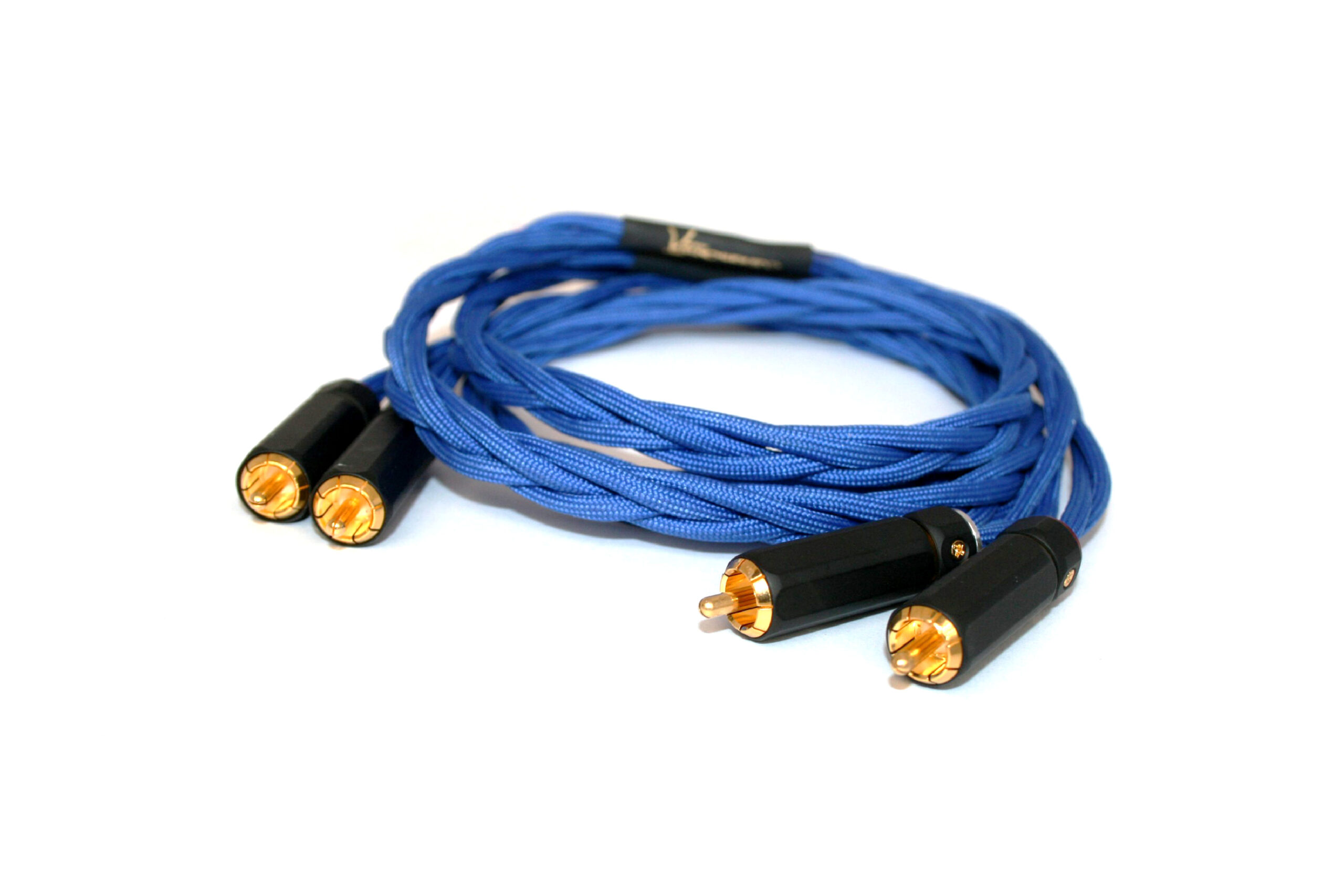
Before picking a cable, match the plug’s contact layout to your gear. A standard stereo connection needs a TRS plug with two insulating rings, while a phone headset or gaming chat cable that carries both audio and voice requires the three-ring TRRS design. If your Android device relies on a wired headset, the platform specification calls for exactly that 4-pole audio cable used for microphone input and stereo output in one slim connector, so grabbing a basic TRS cable will leave your mic dead. When you need to route sound from a laptop or phone into a home stereo or powered speakers, you will often reach for a 3.5mm male to 2-RCA male audio cable. On a Mac, Apple notes audio in can use a stereo mini-plug-to-RCA cable adapter for connecting stereo equipment, and the same cable works in reverse to feed a mixer or amplifier from your device’s headphone jack.
Quality matters most at the stress points where the cable meets the plug body, so look for a flexible strain-relief collar and gold-plated contacts that resist corrosion in humid environments. Apple’s own bidirectional USB-C to 3.5 mm Audio Cable works between an iPhone or iPad and powered speakers, and it also connects AirPods Max to a standard 3.5 mm source like an airplane seatback, making it a practical choice if you move between modern and legacy gear. Deciding where to buy an AUX or stereo audio cable can start with checking the manufacturer’s offerings, though third-party options with reinforced nylon braiding hold up better to daily coiling. If your setup is a simple patch cord linking a phone to a car’s auxiliary input, you simply need to buy a male to male audio cable in the correct length. Pay attention to the plug’s ring count so you avoid the thin, hollow playback that occurs when a TRRS plug sits in a TRS socket. There is no single component universally crowned the best 3.5 mm audio cable, as the right choice depends entirely on whether you need a microphone line, a balanced mono run, or a straightforward stereo feed.
Making and repairing cables
When a molded cable fails at the plug, you can often save it if you know how to splice 3.5 mm audio cable correctly by cutting out the damaged section, stripping the enameled inner conductors by carefully burning off the coating with a lighter, and matching each color-coded wire to the same contact on both sides before insulating each join with heat-shrink tubing. Building a replacement from scratch lets you choose the exact length and components, and the first step is to make 3.5 mm audio cable by sliding a plug shell and strain-relief boot onto your wire before you solder a single connection. Once you strip the jacket, you must wire a 3.5mm stereo plug by attaching the left channel to the tip terminal, the right channel to the ring terminal, and the common ground to the sleeve, keeping the soldered joints small enough that the shell threads back on without shorting. The same logic scales up when you wire 1 4, stereo jack on a patch bay or headphone amplifier, where the larger terminals are easier to work with and you can often use a heat-shrink anchor to prevent the solder lugs from snapping off under repeated plugging. For interconnect cables that feed a hi-fi system, an audiophile locking RCA connector how to install procedure typically involves pushing the center pin through the insulator, soldering the signal wire, and then tightening a set-screw or collet that clamps the return braid to the outer barrel for a gas-tight connection that will not wiggle loose. Before you plug your repaired cable into an iPhone without a headphone jack, a documented method is to use a Lightning to 3.5 mm Headphone Jack Adapter, which requires iOS 10 or later.
- make mini USB to 3.5 mm male headphone audio cable — How To Make Mini USB To 3.5 Mm Male Headphone Audio Cable
- audiophile locking RCA connector how to install — Audiophile Locking RCA Connector How To Install
- splice 3.5 mm audio cable — How To Splice 3.5 Mm Audio Cable
- wire a 3.5mm stereo plug — How To Wire A 3.5Mm Stereo Plug
- make 3.5 mm audio cable — How To Make 3.5 Mm Audio Cable
- wire 1 4, stereo jack — How To Wire 1 4, Stereo Jack
Solving noise and grounding issues
Hum and buzz in a 3.5 mm setup often trace back to a missing ground reference, and you can quiet a noisy line by making sure you properly ground 3.5 mm audio cable shields at one common point in the signal chain. When you ground unbalanced 3.5mm audio cable runs, the goal is to drain induced noise without creating a secondary loop that injects its own hum, so star grounding at the mixer or receiver usually works better than lifting the shield at both ends. Intermittent crackling or dropouts that seem like a bad cable can instead come from a worn physical interface, and one of the most overlooked culprits is a failing USB link on an external sound card. You can often fix loose audio interface USB connector issues with a simple physical reseat by pushing the USB cable firmly into the port until it clicks home, because a connector that is not fully inserted may still provide power while dropping the data connection entirely, leaving you with silence or glitching.
Connecting phones, tablets, and computers
Getting audio from a mobile device into a computer often starts with the simplest physical link. You can play phone audio through PC with audio cable by running a male-to-male patch cord from the phone's headphone jack straight into the computer's blue line-in port, then enable "Listen to this device" in the Windows Sound control panel so the signal passes through to your desktop speakers. On an iPhone without a headphone jack, you plug the Lightning end of a finished Lightning-to-3.5 mm cable into the phone and the 3.5 mm end into the PC's input. If you want to shorten that cable or repair a break near the strain relief, you might search for how to wire splice an iPhone lightning audio cable, but no official pinout or color code is published by Apple or its licensed accessory makers, making the practical route to treat the cable as a sealed assembly and replace it with an intact adapter. The same direct-connection principle applies to handheld consoles. To get sound from a portable gaming device into a speaker or capture setup, you can use male to male stereo audio cable with 3d's by plugging one end into the headphone output on the top of the handheld and the other into an external speaker or a capture card's input, keeping in mind that a TRRS plug in a TRS socket will collapse the stereo image to a thin, phasey mono. If you need a quick way to route audio from your phone to a gaming headset without Bluetooth, you would play phone audio through PC with audio cable to take advantage of the PC's sound card for mixing game chat and phone calls. When a store-bought Lightning adapter fails and you need a custom length, you might decide to wire splice an iPhone lightning audio cable to salvage the connector and attach it to a higher-quality 3.5 mm cable. And for connecting two portable devices like a handheld console and a portable speaker, you would use male to male stereo audio cable with 3d's to preserve the stereo separation that a single TRRS plug would otherwise collapse into a thin, phasey mono signal.
- use male to male stereo audio cable with 3d's — How To Use Male To Male Stereo Audio Cable With 3D's
- play phone audio through PC with audio cable — How To Play Phone Audio Through PC With Audio Cable
- wire splice an iPhone lightning audio cable — How To Wire Splice An iPhone Lightning Audio Cable
Hooking up home stereo and TV gear
When you are integrating older hi-fi components and modern televisions, the physical interface often dictates the signal chain before you even hear a note. If I have an old turntable with analog audio wire, how can I put it into 3.5 mm wire starts with a phono preamp, because a turntable's raw output is too weak and its equalization curve is wrong for a standard line-level input. You run the turntable's RCA cables into the preamp's input, then use a stereo RCA-to-3.5 mm cable from the preamp's output into an available aux input, keeping in mind that a TRRS plug forced into a TRS socket will collapse the stereo image into a thin, phasey mono signal. To connect audio cable from PC to TV, a single HDMI cable carries the video and audio stream together with no extra wire required if both devices have HDMI ports. The exception comes when a television has a DVI port instead of HDMI, in which case you must use an HDMI-to-DVI adapter for the picture and a separate 3.5 mm cable for the sound. When troubleshooting the HDMI audio cable connection for U-verse, a silent set-top box may be resolved through a menu setting: on the AT&T remote, press MENU, go to Options > Audio/Language > Digital Audio Output, switch the format to STEREO, and then Save to restore sound through your television's speakers.
Decoding the color codes
Matching a plug to the correct port on a desktop PC is straightforward once you know the color standard for stereo line-in, microphone, and headphone connections. On the back of the motherboard, the pink jack is always the microphone input where a standalone mic or the mono mic ring on a headset splitter gets plugged. The blue jack serves as the stereo line-level input, letting you feed a cassette deck, a phone with a male-to-male patch cord, or another external source into the computer without overdriving the preamp. For output, you will want to read about where the green audio cable go to ensure you connect it to your powered speakers or headphones correctly, providing the amplified stereo signal you hear. If you are using a single combo-jack headset with a TRRS plug, you will need a splitter that separates the mic and audio channels. Plugging that four-contact plug directly into a green TRS stereo-only socket bridges the microphone contact to ground and the left channel, collapsing the sound into a hollow, phase-canceled mono signal.
Using specific accessories
When you want to connect beats audio cable to beats earbuds, Apple documents USB-C charging, not a 3.5 mm cable connection. For true wireless earbuds like Beats Studio Buds + or Beats Fit Pro, Apple’s official support path uses the USB-C cable and charging case for charging, not a 3.5 mm connection. The bidirectional USB-C to 3.5 mm Audio Cable works with Beats headphones that have a dedicated 3.5 mm input, but no documentation extends that wired path to the earbud lineup. If your Beats did ship with a 3.5 mm jack on the earcup, that same cable lets you patch audio from an iOS or iPadOS device straight into the headphones.
You may also run into the practical question of the length of a 3.5 mm audio cable when trying to place speakers across a room or keep a phone in your pocket while connected to a stereo. No official maximum length is published by Apple, as the real-world limit is set by signal degradation over distance. Pushing a run past 10 or 15 feet turns an unshielded cable into an antenna for hum, and the thin conductors become a resistor that dulls high frequencies. Keeping the path short and using a well-shielded line is the simplest way to use 3.5 mm audio cable without introducing noise, especially if the plug on either end carries a TRRS configuration that can collapse the stereo image when seated imperfectly.











