
Home>Production & Technology>Connecting Phones and MP3 Players to Stereos
Production & Technology
Connecting Phones and MP3 Players to Stereos
Modified: 3 October 2026
Table of Contents
Know what you're working with to connect a phone
Before you learn how to connect a phone to car stereo hardware, take a minute to see what your stereo is actually offering. A modern unit might be a mechless car stereo, meaning it has no CD or tape player and relies entirely on digital sources, often a high-speed USB port on the faceplate designed to read phones or flash drives directly. If your dash has a large touchscreen, you are likely working with a double din car stereo, which gives you more physical space for an advanced interface where wired smartphone mirroring becomes a common built-in feature. In many late-model vehicles, the radio communicates with the car’s computer system over a data network, and understanding canbus in car stereo integration helps you realize why the factory unit might already be sharing track information with your dashboard display without any extra wiring.
Getting your media to play smoothly also depends on the digital side of the setup. If you plan to load music onto a thumb drive, you will need to match the USB format for car stereos, which is often FAT32 though the required USB format for car stereos varies by model, as many head units cannot read the newer exFAT or NTFS file systems. When you move to the physical wiring for an aftermarket install, the switched power signal may be carried by the accessory wire on car stereo harnesses, which tells the unit to turn on and off with the ignition key rather than draining your battery. For setups involving external amplifiers, the remote wire in a car stereo is typically used to send a turn-on signal to the amp, and confusing this thin blue lead with the main power feed is a common mistake that leads to a silent system.
Connect through an aux input
If your stereo has a round, headphone-jack style AUX input, the connection is straightforward. You need a 3.5mm audio cable running from your phone’s output into the stereo’s AUX IN port. Then you simply switch the stereo source to AUX. For Samsung Galaxy phones that still include a headphone jack, you can plug the cable directly into the device. If your phone lacks that port, Samsung specifies that you should use a USB-C headphone adapter to bridge the link. There is no manufacturer-supported method to wire an auxiliary audio cable to car systems that lack a front-facing port. If you want to add AUX input to old car stereo.
Many older stereos simply do not have a factory jack at all. You may be trying to connect phone to stereo without AUX because the unit predates that input style. In those cases, the solution is not a software trick but a hardware modification. The specific steps vary depending on whether your goal is to add a simple analog port or a modern digital interface.
Installing a hidden AUX cable behind the dashboard gives you a permanent, clutter-free link. There is no manufacturer-supported method to add an auxiliary jack to a factory stereo.
FM modulation offers a different path. A wired FM modulator inserts the audio signal directly into the antenna line. You tune the radio to a specific empty frequency. The sound quality surpasses wireless transmitters because the signal travels via a physical cable. There is no manufacturer-supported method to add an AUX input to your car stereo. If you want to add AUX input to old car stereo, the FM modulator approach provides a workaround that requires no permanent alteration to the dashboard.
Bluetooth receivers provide a wireless bridge for factory systems. A compact module pairs with your phone and outputs the audio stream. You can wire the receiver to a 12-volt power source and ground it behind the dash. The audio output feeds into a line-level converter or a hardwired FM modulator. This approach eliminates the cable tether while still delivering clear playback.
Cassette adapters remain a viable, zero-install option for older tape decks. The adapter slides into the tape slot and contains a magnetic head that couples with the playback mechanism. A thin cable exits the cassette shell and plugs into your phone. The fidelity is limited by the tape head gap, but the convenience is unmatched. You simply insert the adapter and press play.
USB integration requires a different strategy. There is no method to add USB port in car stereo systems that lack one; USB can only be used to connect a phone to supported vehicles or stereos.
Digital-to-analog converters elevate the signal path. A portable DAC plugs into your phone’s USB-C or Lightning port and outputs a clean line-level signal. This bypasses the phone’s internal amplifier. You then run a high-quality shielded cable from the DAC to your stereo’s AUX input. The improvement in clarity and dynamic range is immediately noticeable on a decent system.
Signal grounding solves persistent noise issues. A ground loop isolator sits inline on the audio cable. It uses transformers to break the electrical path that causes alternator whine. You plug the isolator between your phone and the stereo input. The device requires no power and works passively. This fix is essential when you charge your phone from the car’s 12-volt socket while playing audio.
Factory stereo integration harnesses preserve the stock look. A plug-and-play harness connects between the factory wiring and an aftermarket Bluetooth or AUX module. The harness taps power, ground, and the speaker-level inputs. You do not cut any original wires. The module hides completely behind the dash.
Connect through USB
If your car stereo has a USB port, the simplest path is often a direct wired link. Many aftermarket units can read a phone or flash drive as a music library. Models from Kenwood, Pioneer, and Sony do this without needing a special AUX cable or Bluetooth pairing. For iPhone users, the physical link can get specific. To connect iPhone to Kenwood car stereo USB, Kenwood’s own compatibility resources note that you need their proprietary accessory iPod cable combined with an Apple Lightning-to-30-pin adapter. Once plugged in, the stereo takes over playback control. You can browse tracks from the head unit's face. Look for a port marked with a CarPlay or smartphone icon. If the handshake fails, swapping to a different USB cable often solves it. Power delivery varies by model. Some ports supply up to 1.5 A for an iPhone, while other models limit standard USB devices to 500 mA. Some stereos expect your thumb drive to be formatted as a mass storage class device. A phone set to charge-only mode will not be recognized. If you are using an Android device, the path is less uniform. Many head units default to Bluetooth for that platform rather than a direct USB audio handoff.
Connect through Bluetooth or apps
If your car stereo supports it, a wireless link removes the cable entirely. Start by pairing your phone via the stereo’s Bluetooth source menu. Then open an app like Pandora on your phone. If you want to stream your favorite stations while driving, you can follow the guide to connect pandora to car stereo. Select the car’s audio system as the playback destination. For iPhones, you can route the sound without touching the stereo at all, just read how to connect iPhone to car stereo for step-by-step instructions. From an app’s Now Playing screen or Control Center, tap the playback destination button and pick your vehicle from the list. In a home setup with AirPlay-compatible speakers, you can even tell Siri to control playback by saying something like “Move the music to the den.” You must first add those speakers in the Home app. On the Android side, some head units may also support a direct app projection mode that mirrors your phone’s display onto the larger screen, though the specific process varies by manufacturer. If your unit supports it, you can set up a mirror link car stereo session to control navigation and media from the dash. Every platform and audio source handles the handshake a little differently. The exact pairing steps depend on whether you are linking a phone, a smart assistant, a streaming service, or a portable drive. For instance, you might need to connect Bluetooth to car stereo for a wireless link, or you could connect to AUX in car stereo for a simple wired solution. If you prefer voice control, you can connect Amazon Alexa to stereo to play music hands-free. For older devices, you might want to connect MP3 player to home stereo or connect my iPod to my home stereo to enjoy your digital library. If you have a USB drive full of music, you can connect USB flash drive to home stereo for a quick playback option. And if you want to switch audio sources in your car, you can tell siri to select car speakers for an audio interface for a hands-free transition. Choose the approach below that matches your specific device and stereo combination to get the link right on the first try.
Play phones and tablets through stereos
Before you hunt down a specialty adapter, pause and check the port you already have. Many car and home stereos can read a phone or tablet directly over USB as if it were a hard drive. They pull your music library without any pairing or auxiliary cable. If your vehicle lacks that digital link, you can still connect phone to car radio without Bluetooth by running a simple AUX cord from the headphone jack to the stereo’s input, which is useful if you want to play your phone's audio through your car's speakers without relying on a wireless signal. For Samsung Galaxy devices, perform the steps while the car is parked. For a home setup, the approach shifts slightly when you connect phone to stereo system hardware, which allows you to stream your music library through your home speakers for a richer listening experience. You can connect iPhone to home stereo system hardware using available adapters or receivers. The physical link stays straightforward with standard phone-to-car audio cables, which are essential for establishing a direct wired connection when you want to play music from your phone in your car without Bluetooth. If your stereo supports it, switching to Bluetooth gives you control over the device type. On an iPhone, go to Settings > Bluetooth, tap the blue info button next to the accessory, tap Device Type, and set it to car stereo to improve the sound profile. When you connect phone to stereo system components that lack any wired input, a Bluetooth receiver plugged into the amplifier’s RCA jacks becomes the bridge. Renaming your device at Settings > General > About > Name helps avoid confusion if multiple phones appear on the car display. For a more radical dashboard upgrade, you can use my tablet as a car stereo by mounting it and sending audio out via a USB DAC or the headphone jack, turning the tablet into the head unit itself, which is ideal for accessing navigation apps and large music libraries while driving. If a passcode appears during pairing and the manual does not list one, try 0000 or 1234 to complete the handshake.
- connect phone to car radio without Bluetooth — How To Connect Phone To Car Radio Without Bluetooth
- connect phone to stereo system — How To Connect Phone To Stereo System
- use my tablet as a car stereo — How To Use My Tablet As A Car Stereo
- phone-to-car audio cables — What Audio Cable Can I Use To Plug My Phone Into My Car
Play MP3 players and iPods through stereos
Dedicated music players often hide a simple path into your car or home stereo that skips the auxiliary jack entirely. If you are trying to hook MP3 player to car stereo hardware, start by linking it to the vehicle’s USB port with a standard data cable. Then switch the head unit to the USB source. Many stereos will index the folders instantly and let you browse by artist or album using the dash controls. The process shifts when you need to play iPod through car stereo without AUX in an older vehicle, since that method lets you connect your device even when no headphone jack is available. Here the trick is to use a 30-pin-to-USB cable rather than hunting for a headphone jack that does not exist. For wireless CarPlay, press and hold the voice command button on your steering wheel. Make sure the stereo is in wireless or Bluetooth mode. Then on your iPhone go to Settings > Wi‑Fi, turn Wi‑Fi on, and tap the CarPlay network. Check that Auto‑Join is enabled so the link holds next time you start the engine. Because these steps differ slightly depending on whether you are holding a classic iPod, a modern flash drive, or a smartphone, the exact walkthrough you need depends on the device in your pocket. For example, if you want to play music from flash drive on car stereo, you will need a drive formatted as FAT32 and a stereo with a USB input that reads audio files, which is a convenient way to carry thousands of songs without any cables. Similarly, if you need to play an MP3 player through a car stereo, you might require an adapter that bridges the player's output to your stereo's input, giving you access to your entire music library on the road. If you simply want to play my phone through my car stereo, a Bluetooth receiver or a simple AUX cable usually does the trick, allowing you to stream calls, podcasts, or playlists directly through your vehicle's speakers. And if you want to play an iPod through a car stereo, you can use a dedicated iPod car adapter or a cassette adapter for older vehicles without USB or AUX ports, preserving your classic music collection without needing to upgrade your car's system.
- play an iPod through a car stereo — How To Play An iPod Through A Car Stereo
- play an MP3 player through a car stereo — How To Play An MP3 Player Through A Car Stereo
- play my phone through my car stereo — How Can I Play My Phone Through My Car Stereo
- play music from flash drive on car stereo — How To Play Music From Flash Drive On Car Stereo
- play iPod through car stereo without AUX — How To Play iPod Through Car Stereo Without AUX
- hook MP3 player to car stereo — How To Hook MP3 Player To Car Stereo
Connect iPhones to car audio
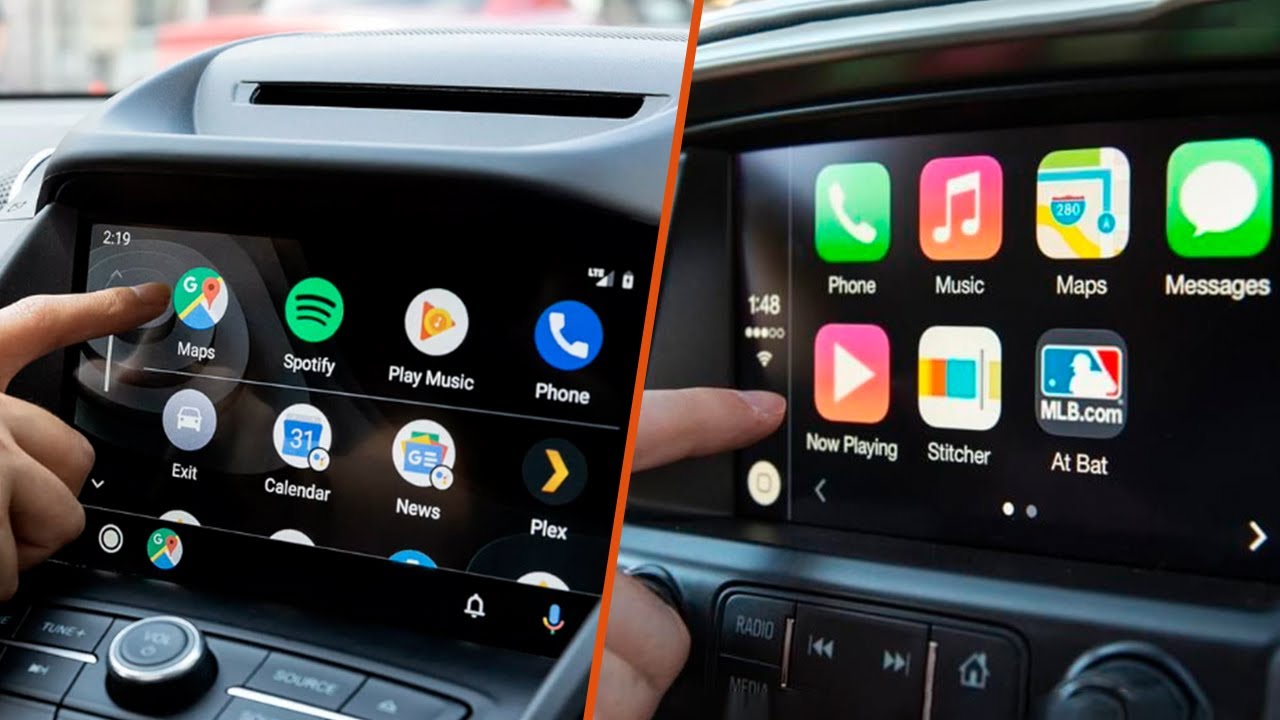
Before you buy any adapter, check whether your stereo can already connect iPhone to car audio. It may have a built-in USB port that reads the device like a hard drive. If your car supports CarPlay, the setup is straightforward. Start the vehicle and make sure Siri is on. Plug the iPhone into the USB port labeled with a smartphone or CarPlay icon. Use an Apple Lightning to USB cable for this link. Then on the phone go to Settings > Wi‑Fi, turn Wi‑Fi on, tap the CarPlay network and make sure Auto-Join is on, then go to Settings > General > CarPlay and select your car. If the pairing fails, check Settings. Look under Screen Time, then Content & Privacy Restrictions, then Allowed Apps to confirm CarPlay is not restricted.
Owners of older phones often ask where to plug an audio cable into iPhone 7 Plus. The answer is that you don't. Apple removed the headphone jack on that model. The only wired path into a stereo relies on the Lightning port with a USB cable. When you see the term Apple play car stereo in product listings or forums, it refers to CarPlay. This feature projects turn-by-turn directions, calls, and music onto the vehicle’s display. An Apple car play radio lets you control everything from the dash screen rather than the phone. You control everything from the dash screen rather than the phone. To connect iPhone to radio in car without CarPlay, use that same USB port and cable. Many stereos will index the music library instantly. They let you browse by artist using the car’s own controls.
Finish the install and add extras
Once the head unit is secured in the dash, you need to properly ground a stereo receiver to the vehicle’s metal chassis using a bare-metal contact point behind the dash to prevent electrical hum and ensure the amplifier runs quietly. If you are adding an external amplifier, you will also need to hook up RCA cables to car stereo pre-outs, routing the signal cables away from power wires to avoid induced noise. A dedicated adapter module lets you connect car stereo to steering wheel controls, though the exact interface box varies by vehicle make and radio brand. When the wiring is complete, you can play digital music in car via Android Auto by opening any compatible media app such as Spotify, TuneIn, or a podcast player directly on the dash screen to browse your library. For a specific older vehicle, the audio cable for a 2010 Ford Focus depends on the factory system.











