Home>Devices & Equipment>Turntable Speaker and Audio Connection Guides
Devices & Equipment
Turntable Speaker and Audio Connection Guides
Modified: 3 October 2026
Table of Contents
- Understand your gear's starting point to connect turntable to speakers
- Connect a turntable to a standard receiver or amplifier
- Connect a turntable directly to powered speakers or a soundbar
- Add your turntable to a wireless or multi-room system
- Connect a turntable to recording gear or a computer
- Fix or replace turntable audio cables
- Solve grounding and buzzing problems
Understand your gear's starting point to connect turntable to speakers
Before you connect turntable to speakers or a receiver, first identify what your gear can already do. To tell if turntable has preamp, look for a small switch on the back marked PHONO/LINE that activates a preamp in a turntable, boosting the cartridge’s faint output up to a line-level signal that modern powered speakers and stereo amplifiers expect. If your record player has this built-in boost, set the turntable's switch to LINE and hook up a turntable with a preamp directly to any analog input labeled AUX, CD, or Audio using standard RCA cables; Sonos users can go straight into a line-in port with an RCA to 3.5 mm cable.
The situation shifts when you need to hook up turntable to receiver without phono input and your deck lacks its own preamp. In that specific case, you must place an external in-line amplifier between the vinyl spinner and the stereo unit’s AUX or CD input to raise the signal. Always check the back of your audio hub: if you spot a dedicated PHONO input, that jack already applies its own equalization, so you would switch your turntable off LINE mode to avoid doubling up the processing and causing heavy distortion.
Connect a turntable to a standard receiver or amplifier
When you are ready to hook up turntable to receiver, the first physical step is matching the cable type to the input. Plug the red and white RCA connectors from the record player into the corresponding color-coded jacks on the stereo unit. If your deck has a thin ground wire, secure it under the amplifier’s ground terminal to eliminate low-level hum. If your unit is a classic model, you can connect a Soundesign belt drive turntable to Onkyo gear the same way, provided the Onkyo has a PHONO input. Look for the PHONO label on the back of the Onkyo. Attach the ground wire. If the Onkyo has a PHONO input, leave any built-in switch on the deck set to PHONO so the stereo’s internal stage does the work.
Modern integrated amplifiers often skip the dedicated phono stage, which changes the approach. You can connect Audio-Technica AT-LP60 turntable to receiver inputs that lack a PHONO jack by sliding the rear switch to LINE. This activates the deck’s own preamp and sends a stronger signal that an AUX or CD input can handle. The logic remains identical when you connect turntable to Marantz receiver models without a labeled phono stage. Set the vinyl player to LINE. Plug it into any available high-level analog input on the Marantz component. For home theater setups, you can hook up turntable to Denon AVR-S920W receiver with built in preamp by using the AVR’s PHONO input if it has one. This means you must switch the analog source back to PHONO mode. Doing so avoids running two preamps in series and creating harsh, clipped audio.
Connect a turntable directly to powered speakers or a soundbar
When you want to bypass a traditional receiver entirely, you can connect a turntable directly to powered speakers or a soundbar. Success depends entirely on matching signal types. If your deck has a built-in phono preamp and you switch it to LINE mode, plugging its red and white RCA plugs into the analog input on a set of powered speakers delivers full, clear sound immediately. For speakers that only accept a 3.5 mm jack, an RCA-to-3.5 mm adapter makes the same connection possible. The path to connect turntable to soundbar follows the same rule. A soundbar with a stereo analog input works straight away with a LINE-level signal. Models limited to optical input require an external analog-to-digital converter placed between the deck and the bar. While a general-purpose search to hook JVC turntable al-a158 to speakers will not turn up a model-specific procedure, the universal approach applies. Check the rear panel for a PHONO/LINE switch and use the appropriate cable for your speaker’s input type. Attempting to set up a turntable with speaker wire is a different scenario altogether. Modern turntables output a line-level or phono-level signal over RCA connectors, not bare wire. You would need an amplifier or powered speakers with standard RCA inputs rather than passive speaker terminals. Beyond these direct connections, several common setups involve pairing specific speaker brands, headphones, or whole-home systems with your deck. The right choice depends on whether you want a wired stereo pair, private listening, or multi-room streaming. If you own powered bookshelf speakers, you will want to read the guide on how to connect edifier speakers to turntable to get the best sound from that specific brand. When you need quiet listening without disturbing others, the instructions on how to connect headphones to turntable will guide you through the necessary adapters and outputs. And if you want to integrate your vinyl into a wireless multi-room audio system, you'll need specific hardware and settings to connect sonos to turntable.
Add your turntable to a wireless or multi-room system
If you already own a Sonos system, adding a record player usually means wiring it into a unit with a line-in port. A handful of Sonos models also accept Bluetooth. To use that wireless path, press and hold the Bluetooth button on an Era 100, Era 300, Move, Move 2, Roam, or Roam SL. Keep holding until the status light flashes blue and you hear a chime. Then initiate pairing from your deck’s Bluetooth settings. That same routine is what you follow whenever you want to connect Bluetooth turntable to Bluetooth speaker from any brand. The output device must be in discovery mode first. The pairing confirmation comes from the unit itself, not an app.
If you are working with a deck that lacks Bluetooth, you can still stream vinyl across your Sonos rooms. Cable the player into a compatible component’s line input. Then select it in the Sonos app. Owners searching for how to connect Pro-Ject turntable to Sonos will find that the official wired approach relies on a Sonos Play:5. The deck’s output switch must be set to Line Out before you enable the Line In source in the app. For those with Bang & Olufsen gear, you will want to connect turntable to Beolab Wisa to take full advantage of its wireless audio ecosystem without compromising on sound quality.
Meanwhile, the simplest way to connect Marley turntable to Bluetooth speakers is to engage the unit’s own Bluetooth transmitter. Pair it just as you would any phone or tablet. Keep the two devices within a clear line of sight.
Connect a turntable to recording gear or a computer
When you want to digitize a record collection, you can connect a turntable to an audio interface to capture high-fidelity digital files for archiving or playback on modern devices, by first checking what kind of output your deck provides. If the vinyl spinner has only phono outputs, route it through a standalone phono preamp, then patch the preamp's Master Out or Line out into a pair of line inputs on the interface. Decks that already include a built-in preamp and offer a line-level signal can go straight into those same inputs, and you should attach the ground wire to the earthing screw to avoid hum.
To hook turntable up to scarlett 2i2 specifically, so that you can take advantage of the Scarlett's high-quality preamps and low-latency monitoring while transferring your records, the current 4th Gen unit uses front-panel stereo 6.35 mm TRS jack sockets, so your cabling or adapters need to deliver a clean line-level signal into those connections. Once everything is wired, create a stereo track in your recording software and set the interface's line inputs as the track source. A standalone record player should never be plugged directly into a computer; the signal must pass through a phono preamp or an interface first. If your deck already has a USB output, it likely contains its own analog-to-digital converter and you can skip the external interface entirely.
- connect a turntable to an audio interface — How To Connect A Turntable To An Audio Interface
- hook turntable up to scarlett 2i2 — How To Hook Turntable Up To Scarlett 2I2
Fix or replace turntable audio cables
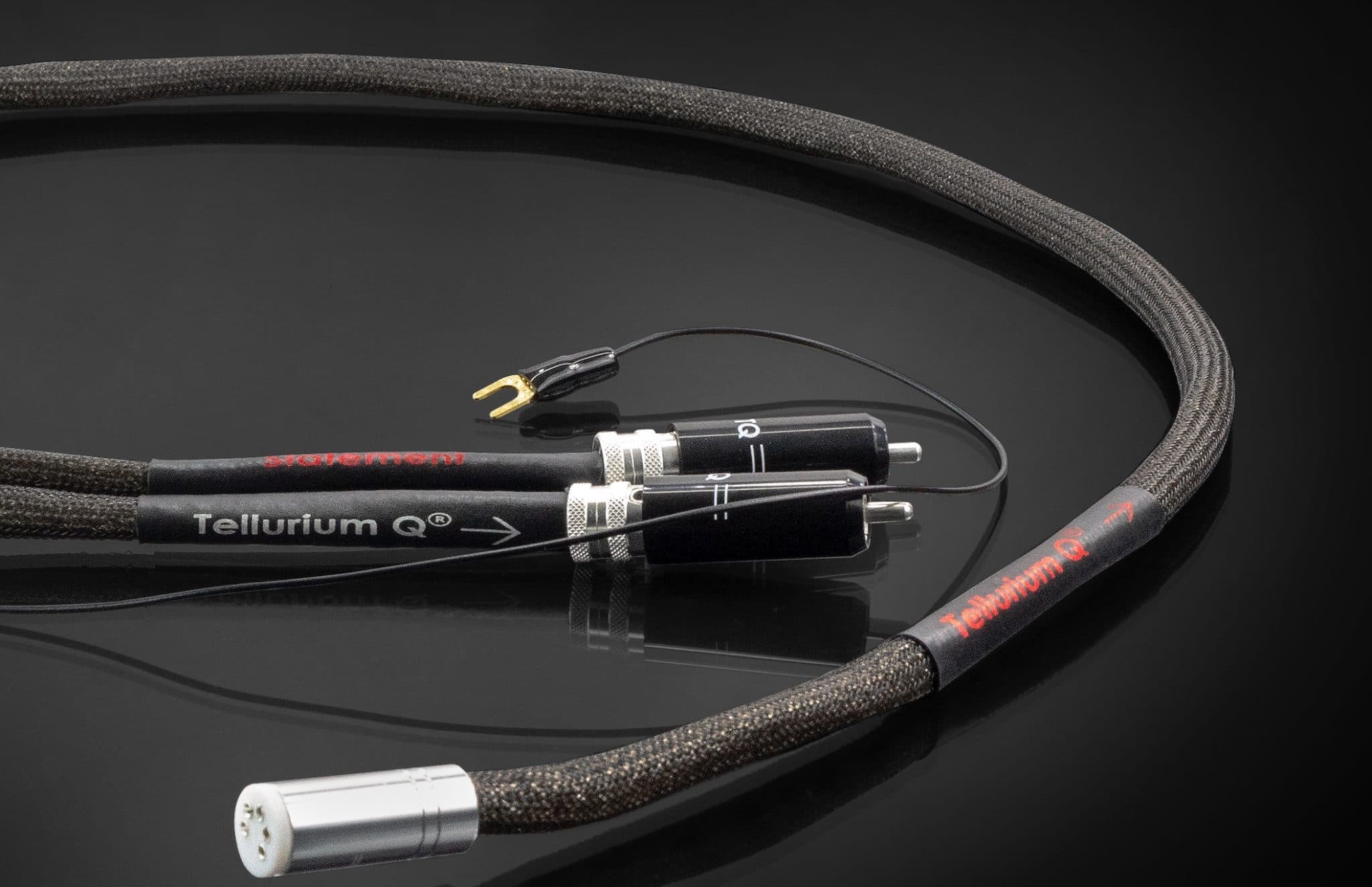
If your original leads are crackling or cutting out, you can often change RCA cables on a vintage turntable by opening the underside and soldering in a new shielded pair. Many classic decks use captive cables that require basic desoldering before you attach fresh ones. When you replace audio cable on turntable models with hardwired outputs, match the red and white plugs to the corresponding input jacks. Always reconnect the thin ground wire to the labeled GND terminal, since skipping that step introduces a persistent low hum. Signal degradation is a real concern, so it helps to know the length limits of turntable RCA cables. Keeping the run as short as practically possible preserves the delicate phono-level signal, because capacitance builds up over distance and dulls the treble. If you need to hook a newer component turntable to an old console stereo that lacks RCA inputs, you are likely dealing with screw-down speaker wire terminals instead. In that case, you must first run the record player into a phono preamp or an amplifier. Then link the amplifier’s speaker outputs to the console’s terminals using speaker cables, not by modifying the unit’s RCA plugs.
Solve grounding and buzzing problems
Most persistent hum problems come down to one thing: the grounding of a turntable needs a clean path to drain away electrical noise. When that path is missing, the buzz takes over. If your receiver or powered speakers lack a dedicated ground post, you can still ground turntable without receiver hardware by loosening any chassis screw on the back panel, slipping the stripped wire end underneath, and tightening it down again, a method you will want to read about if your setup lacks a traditional receiver. If you are wondering what I use for a turntable ground wire, a simple 18- or 20-gauge stranded hookup wire works perfectly, and many people repurpose a spare length of speaker cable with the ends twisted tight; that guide helps you choose the right material for a reliable connection, which is exactly what you need when you are unsure what household item can substitute. When a phono preamp sits between the deck and the amplifier, ground from the turntable to the preamp first, then add a second lead from the preamp to the amplifier or speakers. This extra step can stop receiver buzzing turntable noise that appears even after the initial connection, and the linked instructions show you how to isolate and eliminate that specific buzz, making them essential reading when that annoying hum persists despite your best efforts. A quick touch-test with a bare wire end against the metal case can confirm you have found a solid grounding point before you commit to a permanent attachment.
- ground a turntable without ground wire — How To Ground A Turntable Without Ground Wire
- ground turntable without receiver — How To Ground Turntable Without Receiver
- I use for a turntable ground wire — What Can I Use For A Turntable Ground Wire
- stop receiver buzzing turntable — How To Stop Receiver Buzzing Turntable